


SoLive - Live Video Chat
4.31.51K Reviews
App Specs
- Version
- 1.6.151
- Updated On
- License
- Free
- Downloads
- 10,000,000+
- Developer
- LOKA DİGİTAL MEDYA REKLAMCILIK VE TEKNOLOJİ A.Ş
- Categories
- Social
- Platform
- Android
Screenshots
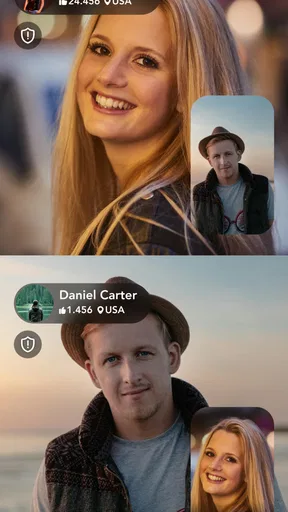
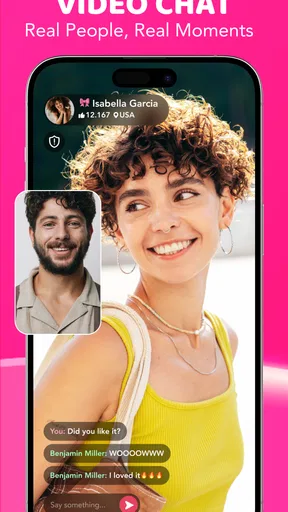
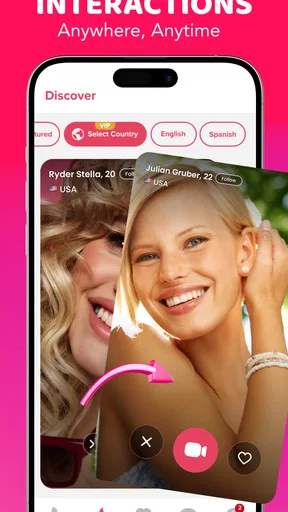
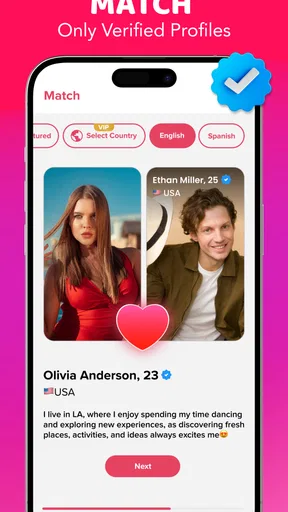

 Analysis by AppCompare
When I’m curious about meeting someone new, I sometimes want more than a profile and a string of messages. SoLive - Live Video Chat is built around that impulse: it brings people into live video conversations, where I can get a quick sense of the exchange and decide whether I want to keep talking. The directness is appealing, but it also asks me to be comfortable on camera and to make choices in the moment.
SoLive is a social app from LOKA DİGİTAL MEDYA REKLAMCILIK VE TEKNOLOJİ A.Ş. It is free to install, rated Mature 17+, and supports Android 8.0 and later. The current version is 1.6.151. The age rating is worth taking seriously: this is not a casual app for children or younger teenagers, but a space adults should approach with ordinary care around strangers and personal information.
What the free entry point and paid options mean
The clearest financial advantage is that you can start without paying an upfront purchase price. That matters for a live-video service because the experience is personal and unpredictable; I would rather test the atmosphere, the quality of conversations, and the amount of control I have before committing money. SoLive lets a curious user make that first judgment without turning installation into an immediate purchase.
There are in-app purchases ranging from $0.99 to $299.99 per item. The range is broad enough that I would approach optional spending carefully. A low-cost purchase may feel harmless in the moment, but repeated small payments can change the real cost of using a social app. At the other end, the highest listed item is a serious commitment, so I would never buy it casually or assume that paying automatically produces better conversations.
This is where the difference between free access and paid value becomes important. The free starting point is useful for deciding whether SoLive belongs in your routine. Paid value should be judged only after you understand exactly what a purchase unlocks on your account and whether that benefit improves your actual conversations. I would read every purchase screen slowly, especially if the app presents several ways to spend during an active interaction.
The app has attracted a substantial audience, with over 10 million installs. Its average rating is 4.3 from around 79 thousand ratings, alongside roughly 1.5 thousand written reviews. I see that as evidence that many people find the basic idea appealing, not as a promise that every video chat will be enjoyable. Social apps depend heavily on who is available at a particular moment, so popularity can increase the chance of finding activity without guaranteeing a good personal match.
What the video-first format changes
Using video instead of text changes the first few seconds of a conversation. With ordinary messaging apps, I can take time to write, edit, and decide whether to answer. A live video exchange is more immediate. Facial expressions, pauses, background noise, and the general mood all become part of the decision. I found that this can make a conversation feel more natural when both people are relaxed, but it can also make an awkward opening feel more intense.
Worth Reading Before You Choose

EA SPORTS FC Mobile 26 Is a Bigger Football Game, but It Takes Time

Flipboard Shows What News Apps Must Do Beyond the Feed

Switching to Android Auto Means Rethinking Your Driving Routine

Google Calendar Makes a Crowded Week Easier to Manage

Ludo King Makes the Most of the Minutes Between Plans

Baby Panda World Brings Quick Play to Modern Phones, but Its Game Library Feels Busy
That immediacy is useful when I want to avoid spending a long time building a text exchange that never becomes meaningful. It is less useful when I am tired, in a noisy place, or not ready to appear on camera. Before opening the app, I would choose a private setting, check the background, and make sure I am comfortable being seen. A live social tool rewards preparation more than a conventional messaging inbox does.
One practical workflow is to treat the first interaction as a short screening conversation rather than a commitment. I would begin with a simple greeting, keep personal details general, and pay attention to whether the other person respects the pace of the exchange. If the conversation feels forced, ending it early is better than staying because I have already spent time or money. This habit protects both my attention and my budget.
How it compares with familiar social options
SoLive occupies a different space from text-first messengers such as regular chat apps. Those services are better when I need reliable communication with people I already know, when I want a written record, or when I cannot talk aloud. SoLive is more suitable for spontaneous contact with people outside my existing circle, where seeing and hearing someone is part of the point.
It also differs from social networks built around public posts and long-term profiles. A feed gives me time to browse interests and form an impression gradually. A live video chat asks me to evaluate the interaction in real time. That can feel more personal, but it gives me less time to filter what I want before contact begins. If I prefer careful discovery through posts, comments, and mutual connections, a conventional social network may be a better fit.
Compared with a standard voice call, the visual element can add warmth and context, yet it also demands more privacy and attention. I would choose SoLive when the possibility of a quick, face-to-face-style exchange is more valuable than the convenience of an audio-only conversation. I would choose a voice or text alternative when I am commuting, working, or sharing a room with other people.
That distinction is useful when deciding what to open in a particular moment. If I want an ongoing conversation with a friend, a familiar messenger is simpler and gives both people more control over when to reply. If I want to discover strangers through shared interests, a community-focused network offers more structure. SoLive’s strength is the live encounter itself, not replacing those other forms of social connection.
Small habits that make the experience safer and more useful
My first recommendation is to separate curiosity from trust. A friendly video conversation can create a sense of familiarity quickly, but a few minutes on camera do not establish who someone is or what they want. I would avoid sharing my address, workplace details, financial information, private documents, or other identifying details during an early chat. This is especially important in an app designed around meeting unfamiliar people.
My second recommendation is to set a spending boundary before using paid options. I would decide whether I am testing the free experience only or whether I have a small, fixed amount available for optional purchases. Making that decision before an exciting or uncomfortable conversation is easier than making it while reacting to prompts. The purchase range makes this discipline particularly important.
A third useful approach is to use the app when I can give the conversation my full attention. Live video is not something I would open while driving, cooking, or handling work. If I am distracted, I may miss warning signs, misunderstand someone, or give the exchange less respect than it deserves. A quiet moment also makes it easier to end a conversation calmly rather than rushing through it.
I would also keep expectations realistic. A social platform cannot guarantee chemistry. Some sessions may be brief, some may be uncomfortable, and some may simply be unremarkable. The value comes from having the opportunity to connect, not from assuming every available person will be compatible with me.
A small but useful precaution is to decide on an exit line before starting, such as a polite “I’m going to go now.” Having that ready can make it easier to leave a conversation that turns uncomfortable without getting drawn into an explanation. I would also treat anything someone says on camera as unverified until trust is earned over time; a convincing conversation is not the same as knowing a person.
Limits to weigh before installing
The main friction is the pressure created by live interaction. People who dislike being on camera, worry about appearance, or need time to think may find the format tiring. Even users who enjoy video calls with friends may not enjoy the uncertainty of speaking with strangers. I would skip SoLive if the idea of spontaneous visual contact already feels stressful rather than interesting.
Privacy is another practical concern. I would not use it in a place where other people can easily appear in the background, overhear sensitive conversation, or see notifications. A private room is preferable, and I would check what is visible behind me before starting. These are not reasons to reject the app outright, but they are part of the real cost of using a camera-based social service.
The mature rating also changes who should consider it. Adults who understand the risks of talking with unknown people are the intended audience. I would not install it on a child’s device or recommend it as a family-friendly social space. Parents looking for a safe communication tool for younger users should choose a service designed specifically for that purpose instead.
Another limitation is that paid spending can blur the line between a useful feature and an emotional impulse. If I feel invested in a conversation, I may be tempted to pay simply to keep the moment going. That is exactly when I would pause. A purchase should solve a clear need I already understand, not become a reaction to pressure, excitement, or fear of losing contact.
Who is most likely to enjoy it
SoLive makes the most sense for an adult who enjoys meeting unfamiliar people and wants more immediacy than text can provide. It can be a good option for someone who is comfortable making quick judgments about conversational chemistry and who does not expect every interaction to become a lasting connection. The free entry point makes experimentation less risky than starting with a paid-only service.
I can imagine using it after moving to a new city, when I want a more personal social experience than browsing public posts. I might open it during a quiet evening, speak with someone for a short time, and leave if the exchange does not feel right. The important part is keeping the goal modest: a conversation, not an instant friendship or a guarantee of romance.
It may also suit people who find text-based introductions misleading. A live exchange can reveal communication style and energy more quickly than a carefully written profile. That does not make video a perfect measure of character, but it can help me decide whether I want to continue investing attention.
For a practical example, imagine having an open evening after a move and wanting to talk with someone beyond a familiar group chat. I would first check that I have a private place and enough time to focus, then start with a short conversation rather than planning the rest of the night around it. If the exchange is pleasant, I can enjoy that moment for what it is; if it is not, I can leave without treating the app as a failed attempt at making a friend.
On the other hand, I would point a privacy-sensitive user toward a more controlled social option. Someone who wants communication with existing friends should use a familiar messenger. Someone who wants structured communities should look for a platform organized around specific interests. Someone who strongly dislikes paid prompts should stay with the free experience and avoid purchases rather than expecting the app to feel completely cost-free.
What version history can and cannot tell me
The release date is May 16, 2019, and the current version is 1.6.151. Together, those facts show that SoLive has remained a product over time and now has a specific current build, but they do not tell me what has changed between versions. I would not assume a particular feature, redesign, or safety improvement from the version number alone.
For someone who already uses the app, the practical approach is to judge the version on the device in front of them: whether conversations feel comfortable, whether the available controls make sense, and whether purchase screens are clear before spending. For someone considering a first install, I would focus on the present experience rather than expecting a future update to fix a mismatch with the live-video format. Version numbers can mark development, but personal fit is still the deciding factor.
My recommendation after weighing the trade-offs
I would recommend trying SoLive for adults who genuinely want spontaneous live video conversations and are willing to manage privacy, attention, and spending themselves. The free installation gives enough room to decide whether the format feels natural before considering any optional purchase. Its established audience and 4.3 average suggest that the concept works for many users, while the mature rating and broad purchase range remind me to use it thoughtfully.
I would skip it if I am looking for dependable contact with friends, a carefully moderated interest community, or a social experience that stays comfortably behind text. I would also skip the paid options until I understand precisely what they provide and whether I am receiving practical value rather than simply prolonging a moment.
My final view is positive but measured: SoLive is best treated as a tool for quick, adult-oriented video encounters, not as a replacement for every other kind of social communication. Start free, protect personal information, keep early conversations short, and set a firm spending limit before exploring purchases. Used with those boundaries, it can offer a direct way to meet people; without them, the same immediacy that makes it appealing can become its biggest weakness.
Pros
- Quickly connects you with people for spontaneous live video chats.
- Simple interface makes starting a conversation easy for new users.
- Live interactions feel more personal than text-based social apps.
- Useful discovery tools help you find active users and streams.
- Works well for casual entertainment and meeting people worldwide.
Cons
- Video calls can use significant mobile data and battery power.
- The quality of conversations depends heavily on other users’ connections.
- Some features or interactions may require in-app purchases.
- Public live chats can expose users to inappropriate or unwanted content.
- Privacy settings should be reviewed carefully before sharing personal details.
FAQs for SoLive - Live Video Chat
What is SoLive - Live Video Chat, and how does it work?
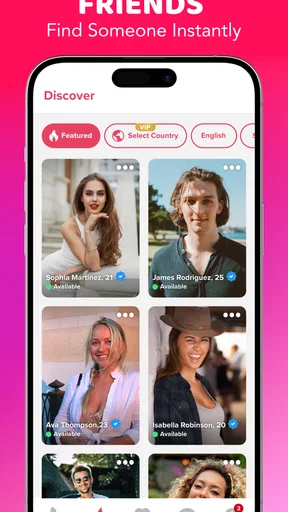
SoLive - Live Video Chat is a social communication app designed for meeting people through live video interactions. After creating a profile, users can browse available people, start conversations, and use video chat features depending on the app’s current options and regional availability. The experience is focused on real-time communication rather than traditional text-only messaging, so a stable internet connection and camera and microphone permissions are usually required.
Is SoLive - Live Video Chat free to download and use?
The app can generally be downloaded without an upfront purchase, but some features may require in-app credits, subscriptions, or other paid options. Video calls, virtual gifts, profile visibility, or extended communication may be limited depending on the account type and the app’s current policies. Before spending money, check the pricing shown inside the app and review the subscription terms in Google Play or the App Store.
Is SoLive - Live Video Chat safe for meeting strangers online?
As with any live video chat platform, users should be careful when interacting with people they do not know. Avoid sharing your address, phone number, passwords, financial information, or private photographs. Use the app’s block and report tools whenever someone behaves suspiciously or violates the rules. Parents should also be aware that live social apps may not be suitable for children, even when age restrictions are displayed.
What permissions does SoLive - Live Video Chat require?
To provide live video communication, SoLive may request access to your device’s camera and microphone. It may also ask for notifications, photos, contacts, or other permissions depending on the features you use and the operating system. You can review and change these permissions through Android or iOS settings. Only grant access that seems necessary, and remember that disabling permissions can prevent certain chat functions from working correctly.
What should I do if video calls are lagging or the app is not working properly?
Live video performance depends heavily on your internet connection, device condition, and the app’s servers. If calls freeze, disconnect, or show poor quality, try switching between Wi-Fi and mobile data, closing other apps, updating SoLive, and restarting your device. You should also check camera and microphone permissions. If the problem continues, use the in-app support option and include your device model, operating system, and a description of the error.


